
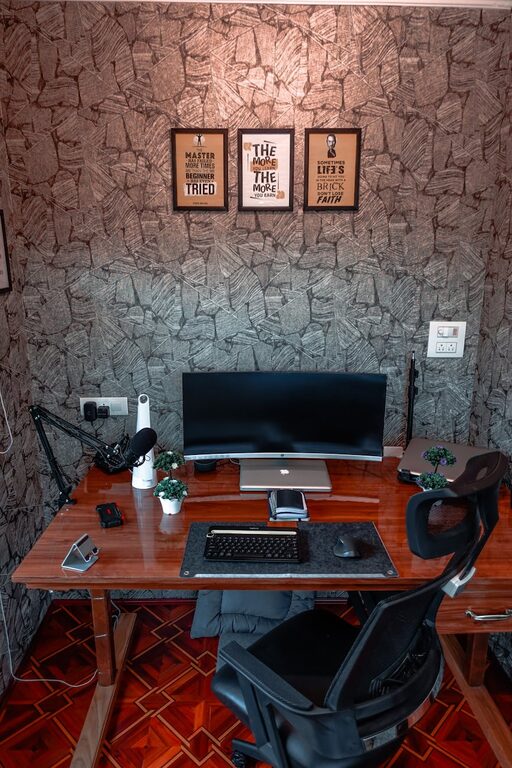
Creating a cozy and functional home workspace is essential for anyone working or studying from home. A well-designed area helps boost productivity, reduce stress, and separates your work life from your personal life. Whether you have a dedicated room or a small corner in your living space, these tips will guide you through setting up a workspace that’s both inviting and efficient.
Choose the Right Location
Selecting the ideal spot for your workspace is the foundation of a productive environment. Consider these factors:
– Natural light: Position your desk near a window if possible. Natural light improves mood and focus.
– Quiet area: Find a space where distractions from noise or household activities are minimized.
– Space availability: Make sure you have enough room for your equipment and storage needs without feeling cramped.
Invest in Ergonomic Furniture
Comfort is a key ingredient for long hours at your desk. Ergonomic furniture supports your posture, reducing strain and fatigue.
– Ergonomic chair: Look for adjustable height, lumbar support, and comfortable padding.
– Desk height: Your desk should allow your arms to rest comfortably with elbows at about a 90-degree angle.
– Footrest: If your feet don’t touch the floor naturally, a footrest can help maintain good posture.
Organize for Efficiency
A clutter-free workspace keeps your mind clear and helps you stay on task. Try these organization tips:
– Storage solutions: Use shelves, drawers, or filing cabinets to store documents and supplies.
– Cable management: Tidy cords with clips, covers, or ties to avoid tangling and mess.
– Desk essentials only: Keep only the items you regularly use on your desk. Store the rest nearby but out of sight.
Personalize Your Workspace
Adding personal touches makes your workspace feel inviting and motivating. Consider:
– Decor: Choose art, photos, or plants to brighten the space.
– Colors: Soft, calming colors like blues and greens promote focus; warm colors like yellows and reds can add energy.
– Lighting: Use a combination of overhead, task, and ambient lighting to reduce eye strain and create a warm atmosphere.
Incorporate Technology Thoughtfully
Technology is essential but should not overwhelm your workspace.
– Monitor placement: Position monitors so the top of the screen is at or just below eye level to reduce neck strain.
– Peripheral devices: Invest in a wireless keyboard and mouse for flexibility.
– Break reminders: Use apps or timers to encourage regular breaks for eye rest and movement.
Create Zones for Different Activities
If your workspace has enough room, setting up separate zones can increase productivity and comfort.
– Work zone: Focused on your computer and essential tools.
– Reading or brainstorming zone: A comfortable chair or small sofa for reading documents or thinking.
– Storage zone: Shelving and cabinets for materials and files.
Maintain Good Air Quality and Temperature
A comfortable climate is vital for concentration.
– Ventilation: Open windows regularly or use an air purifier.
– Temperature: Keep the space slightly cooler than body temperature; around 68–72°F (20–22°C) is ideal.
– Plants: Indoor plants can improve air quality and add a touch of nature.
Establish a Routine and Boundaries
A cozy and functional workspace supports your work-life balance.
– Set working hours: Stick to a schedule that helps separate work time from personal time.
– End-of-day ritual: Clean your desk or turn off your computer to signal the end of your workday.
– Limit distractions: Inform family or roommates of your work hours and create signals when you shouldn’t be disturbed.
Final Thoughts
Designing a cozy and functional home workspace doesn’t require a big budget or a large room. By focusing on comfort, organization, and personalization, you can create an environment that supports your productivity and well-being. Remember, the best workspace is one tailored to your needs and preferences, helping you feel motivated, comfortable, and ready to tackle your tasks each day.