
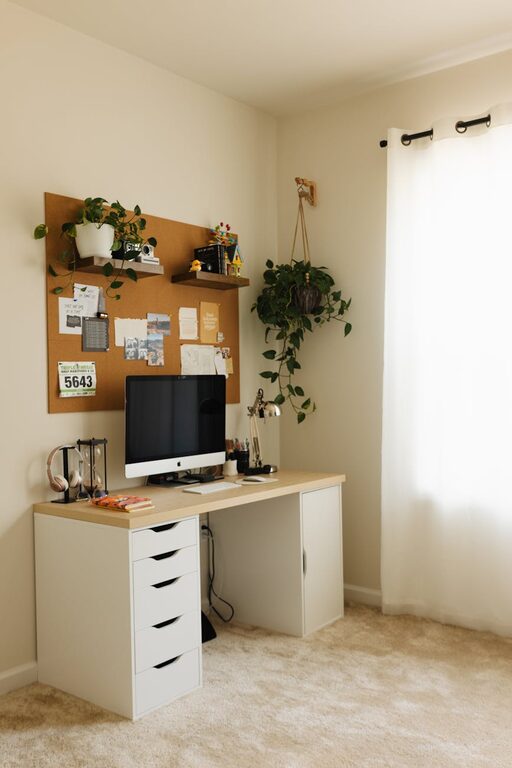
Creating a home workspace that balances comfort and productivity is essential for anyone working remotely or spending significant time on tasks at home. A cozy environment encourages focus and motivation, while a well-organized setup helps you stay efficient. Here are some practical tips to help you create a workspace that feels inviting and supports your best work.
Choose the Right Location
Consider Lighting and Noise Levels
Select a spot in your home with good natural light, as sunlight can boost mood and energy. Avoid areas prone to distractions or loud noises to help maintain concentration.
Prioritize Comfort and Space
Make sure your chosen area offers enough room for your desk, chair, and any necessary equipment. A cramped space can hinder productivity and cause discomfort over time.
Invest in Quality Furniture
Ergonomic Chair and Desk
Choose a chair that supports good posture and reduces strain on your back. Pair it with a desk at the right height for typing and writing comfortably.
Flexible Options
If space allows, consider a standing desk or a convertible setup that lets you alternate between sitting and standing. This can help reduce fatigue during long workdays.
Focus on Organization and Storage
Declutter Your Surface
Keep your desk tidy by minimizing items and using organizers for small supplies like pens, paper clips, and sticky notes.
Use Shelves and Drawers
Incorporate shelves, drawers, or filing cabinets to store documents and materials you don’t need every day. This keeps your workspace clear and your mind focused.
Personalize Your Space
Add Cozy Elements
Incorporate soft cushions, a warm throw blanket, or an area rug to make the space feel inviting. These touches can create a relaxing atmosphere that encourages longer periods of focused work.
Decorate Thoughtfully
Add a few personal items like artwork, plants, or photos, but avoid overcrowding your desk. Plants, for example, can improve air quality and add a refreshing green touch.
Optimize Your Technology Setup
Invest in Reliable Equipment
Ensure your computer, monitor, keyboard, and mouse are comfortable and efficient to use. Proper technology reduces frustration and helps you maintain workflow.
Manage Cables and Accessories
Use cable organizers or clips to keep cords neat and prevent tangling. This creates a cleaner look and prevents accidents.
Maintain Good Habits and Environment
Set Clear Boundaries
Define your work hours and try to keep your workspace dedicated to work-related activities. This separation helps maintain focus and balances work-life routines.
Take Regular Breaks
Step away from your workspace during breaks to refresh your mind and body. Stretching or short walks can boost productivity when you return.
Enhance Comfort with Lighting and Temperature
Adjustable Task Lighting
Use a desk lamp with adjustable brightness to reduce eye strain and improve focus, especially in the evening.
Control Room Temperature
Ensure your workspace is at a comfortable temperature. Use a fan or heater as needed to maintain a pleasant environment.
Incorporate Sound Control
Use Headphones or White Noise
If background noise is a concern, headphones or a white noise machine can help drown out distractions and keep you focused.
Soft Furnishings
Curtains, rugs, and cushions can absorb sound, making the space quieter and more cozy.
Conclusion
Designing a home workspace that is both cozy and productive doesn’t require a large budget or a perfect setup. Small changes like improving lighting, organizing clutter, and adding personal touches can make a big difference in how you feel and work each day. Focus on comfort and functionality, and you’ll create a space that invites creativity and efficiency.
Remember, your workspace should support your needs and encourage a positive work routine, making your time at home both comfortable and successful.